TECHNICAL DETAILS
Technical specifications
WFKICKRCAM2
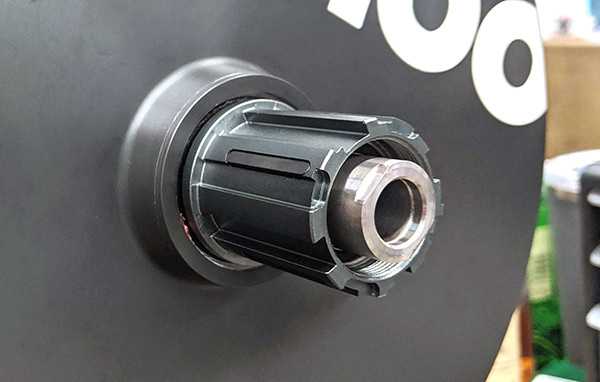
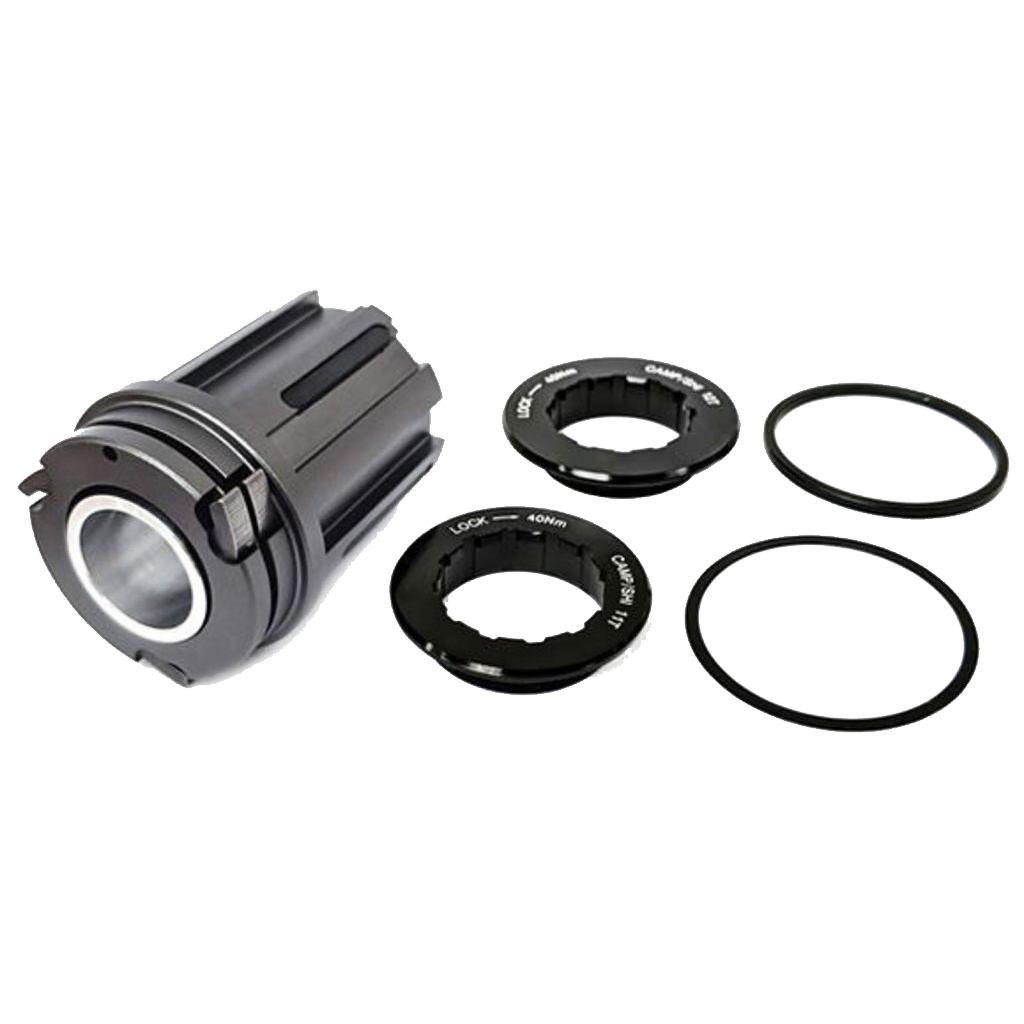
'18, '20 Edition KICKR and KICKR CORE with most* Campagnolo 10, 11, and 12 speed cassettes.
26 000 Ft
The amount of VAT includedThe Campagnolo Freehub (Wahoo) product
was successfully added to your shopping cart.
TECHNICAL DETAILS
Technical specifications
Installing the Campagnolo Freehub on KICKR v5, '18, or CORE
IMPORTANT: This page covers installation of the Campagnolo Freehub on KICKR v5, KICKR '18, and KICKR CORE.
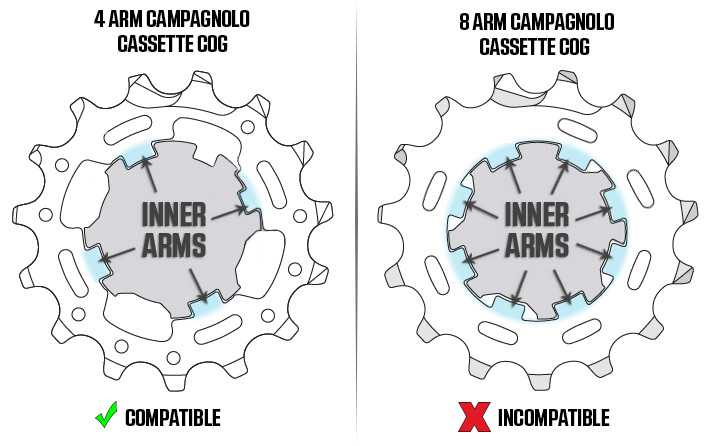
KICKR v5, '18 & CORE Campagnolo Freehub Compatibility

Installation on KICKR v5, '18, & CORE
Required Tools:
Notes:
Installation Steps:
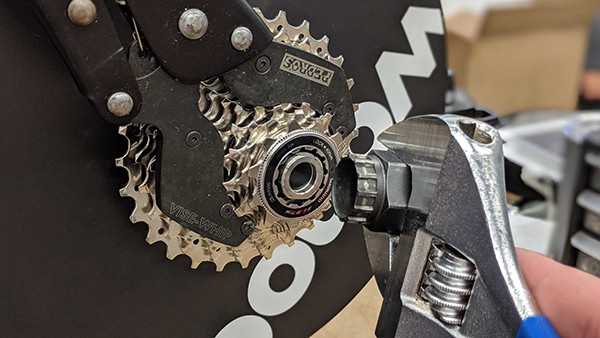
1. Start by using the chain whip (or chain vice, as pictured) and lockring tool to loosen the lockring and remove the existing cassette (skip this step if a cassette is not present, like in KICKR CORE initial setup).


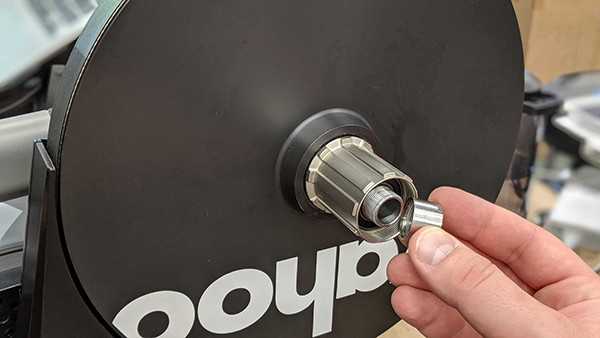
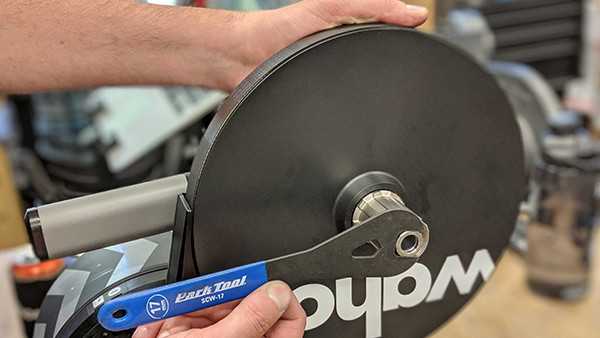
2. Use the 17mm cone wrench to remove the existing original lock nut and freehub body. Hold the pulley with your free hand for stability.


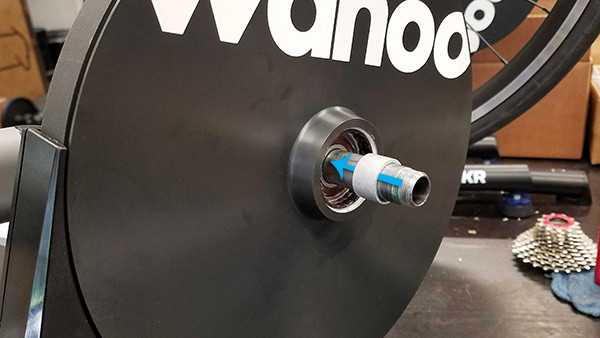
3. Install the inner spacer. You can use either the spacer contained in the Campagnolo freehub (ships on the inside of the side with the pawls) or the original inner spacer. While cosmetically different (the Campy freehub's is shiny), they remain mechanically identical. Do not use both.

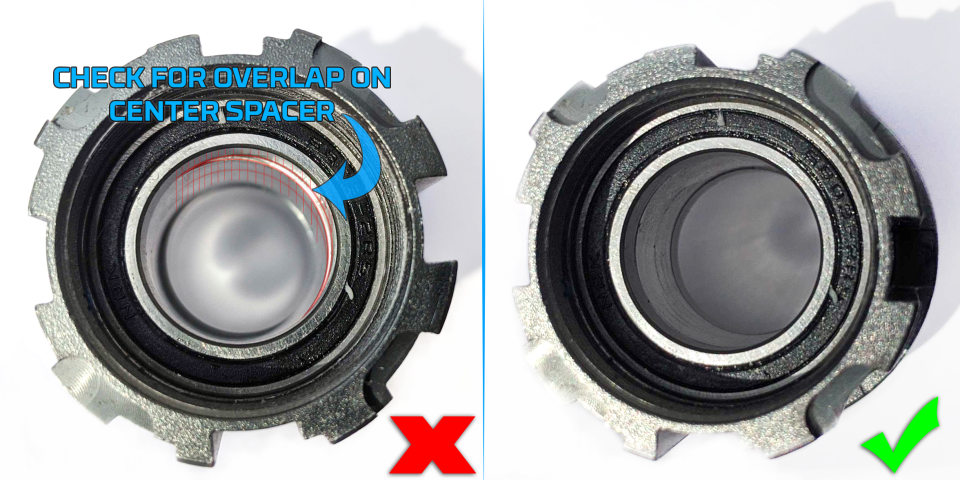
4. Check the center of the Campagnolo freehub for any overhang on the captive inner spacer. Adjust this spacer by hand to ensure it's flush all around, as shown below:

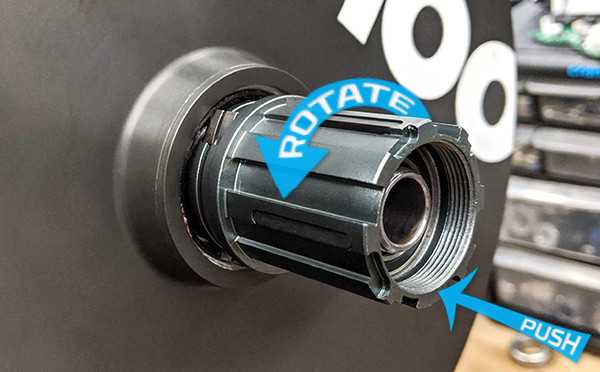
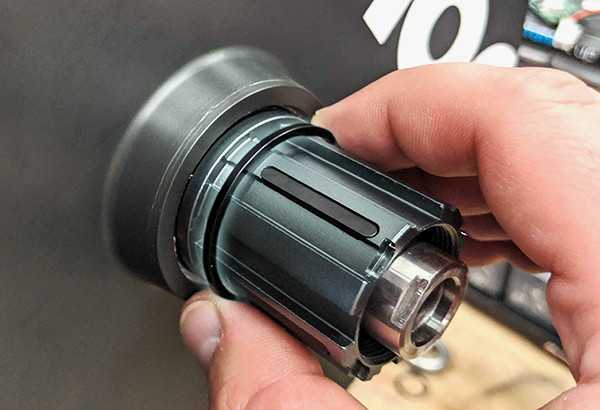
5. Install the new Campagnolo freehub over the inner spacer, rotating counterclockwise (in the direction of the pawls) until flush against the pulley.

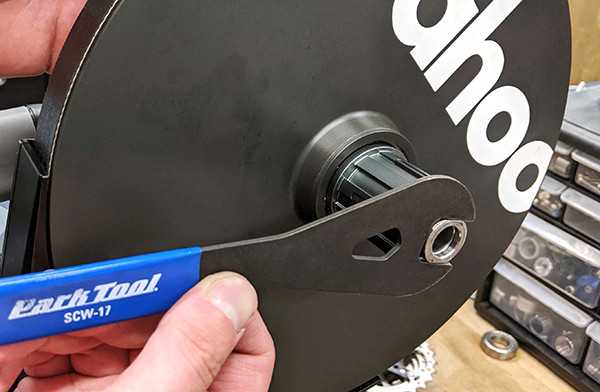
6. Screw on the original lock nut and tighten with the 17mm cone wrench, again holding the pulley with your other hand for stability. Tighten until snug, being sure to avoid applying excessive force.


7. Install the included spacer as needed for your cassette, along with any other spacers which came included with the cassette.